Let it land.
Paste a thought, share a link, or save a useful image. Your clips gather on one continuous Tape, ready when you are.
 Stash
Stash
A LITTLE LESS COPYING. A LOT MORE KEEPING.
The address in a message. The line that stays with you. The code you’ll need again.
Stash gives your copied things a place to land—and lets you lift out just the pieces you need.
Your room at Aurora House is ready. Check in . Find us at . Your booking reference is . See you soon.
Tap the highlighted pieces to lift them.
Sample text. Yours stays in your hands.
Paste a thought, share a link, or save a useful image. Your clips gather on one continuous Tape, ready when you are.
Lift a word, a sentence, or a detail Stash finds for you. Gather a few pieces, then copy or share them together.
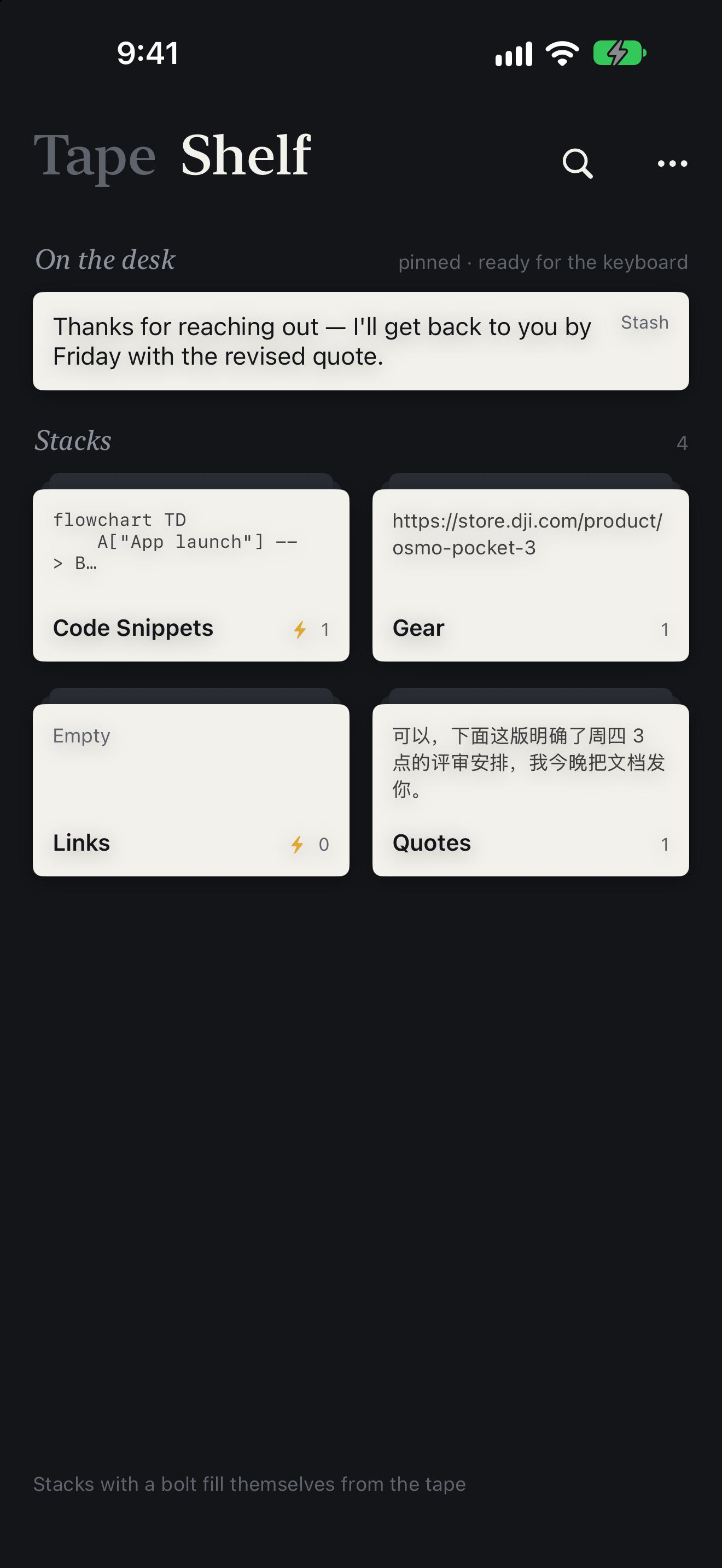
Pin the things you reach for every day. Group the rest into stacks on your Shelf, so a good find stays found.
02 — A LITTLE ORDER
Some things are too useful to copy only once.
A reply you send often. A snippet you always look up. Pin them where they’re easy to reach.
Keep project notes, good links, and small discoveries together. Add rules to let a stack fill itself.
Bring saved text into other apps with the Stash keyboard. Find recent clips from a Home Screen widget.
03 — YOUR WORDS, YOUR SPACE
Text recognition and finding useful pieces happen on your device. No Stash account to create. No ads or tracking in the app.
On iPhone and iPad, you choose what to bring in: paste, share, or enable capture when Stash opens. Optional iCloud sync keeps your Tape and Shelf together across your devices.
Read the privacy policyA FEW THINGS TO KNOW
Not quite. Stash is being prepared for its first App Store release. This website is a preview of the new iPhone and iPad experience. Follow Chen’s blog for updates.
Words, sentences, lines, or useful details such as dates, addresses, phone numbers, links, codes, and tracking numbers. Gather the parts you want, then copy, share, or save them together.
No. On iPhone and iPad, Stash reads the clipboard when you tap Paste, or when you open the app if you enable that option. You can also send text, links, and images to Stash through the share sheet.
The planned one-time upgrade adds iCloud sync and the Paper and Marker app icons. The Tape, lifting, stacks, keyboard, widgets, and backups are part of the free app. Purchase details will be available at launch.
A Mac version is also in development. This preview focuses on the new Tape and Shelf experience for iPhone and iPad; the Mac interface is different.
Questions, feedback, or a good idea? Email Chen. For setup guidance, visit Stash support.
A FIRST LOOK AT STASH
Stash is in development for iPhone and iPad.
Take a look around. There’s more to come.